Big-Format vs. Small-Batch: Choosing a Multifunctional Digital Printing Machine
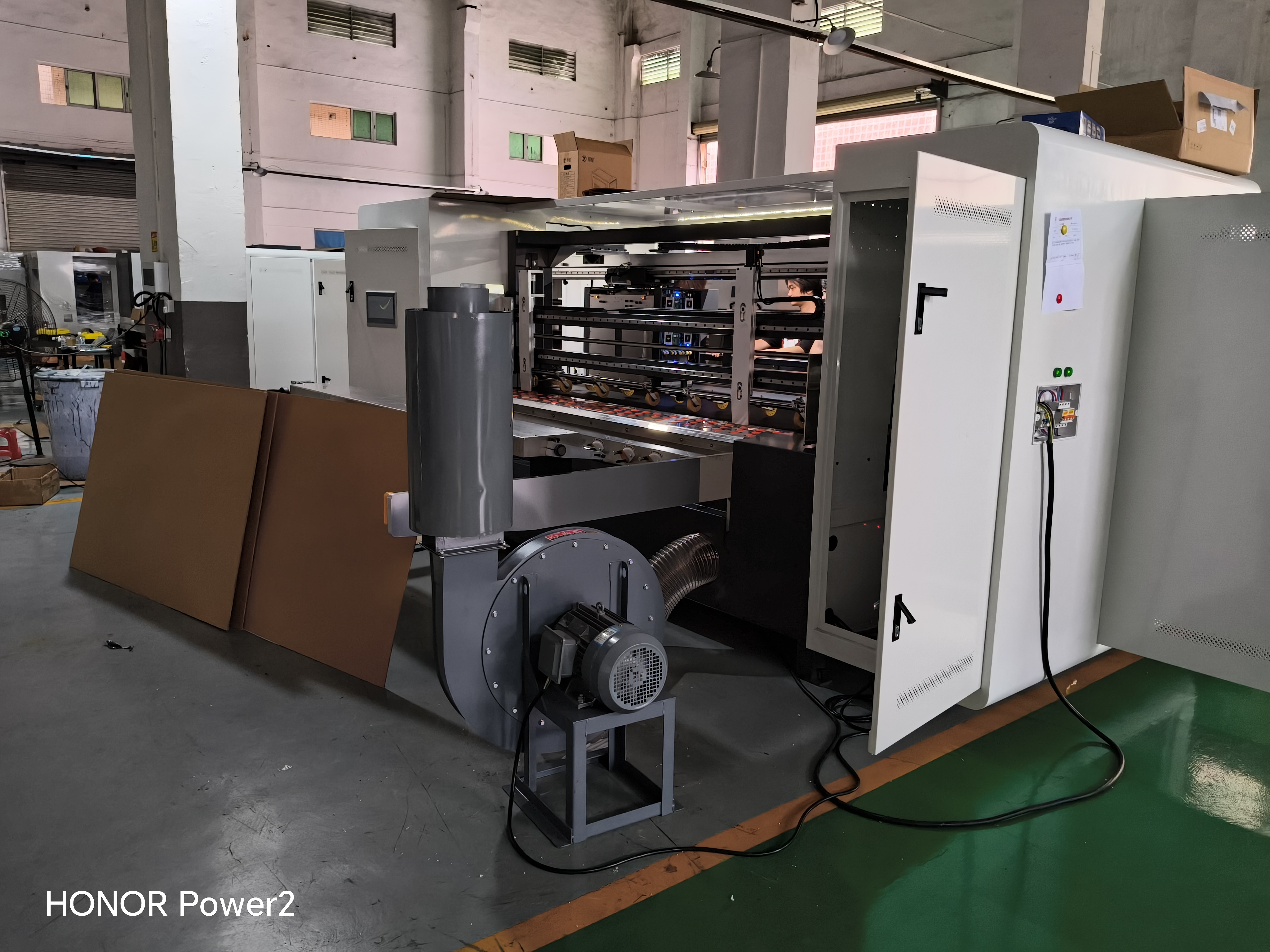
A corrugated plant rarely buys a printer for one job — it buys a printer for a job mix. The useful question is therefore not which machine is best in general, but which printing behaviour should lead your floor and whether the second behaviour can be covered without a second investment. GOKING builds its multifunctional digital printing machine around exactly that question: for complex or large-format boards, use the scanning method; for small boards and small-batch orders, use the direct-output mode — a single all-in-one machine handles both. This guide turns that operating logic into a selection process, using material thickness (2–30 mm), the vacuum adsorption platform, printhead choice and print width as the deciding variables.
Problem Definition: Large-Format Work and Small-Batch Work Pull a Printer in Opposite Directions
Two job families dominate a corrugated or carton printing floor, and they impose opposite requirements on the same piece of equipment.
- Complex, large-format boards — oversized panels, heavy-duty boxes, boards carrying dense graphics or fine text. The binding constraint here is not speed but control: the image must be built accurately across a large surface, registration must stay stable, and the board must remain flat while the printhead passes over it.
- Small boards and small-batch orders — gift boxes, short-run cartons, personalised or urgent jobs. The binding constraint here is changeover: quantities are low, artwork changes constantly, and the time lost between jobs decides whether the order is profitable.
Buying for only one of those behaviours creates a permanent bottleneck. A press optimised purely for throughput cannot render the intricate patterns and fine text that premium packaging work requires; a press optimised purely for resolution turns every short run into slow, expensive production. Because the same plant often receives both kinds of orders in the same week, it is the machine that has to switch behaviour — not the plant that should have to own two machines.
This is a commercial question before it is a technical one. In packaging and carton printing, digital printing is used to handle short-run, urgent and personalised orders, and it replaces plate-based printing, which reduces plate costs and setup waste while enabling flexible short-run production. The same logic shows up in how orders arrive: a small-batch, quick-turnaround model, often tied to cross-border e-commerce and print-on-demand flows, is described as a core business strategy in this segment. It is also used for large-format graphic output by advertising agencies and in-house printing departments in sectors such as finance and education.
Industry Background: Why This Selection Question Is Being Asked More Often
Several market-level trends explain why one machine covering two printing modes has moved from a convenience to a requirement.
- The global digital printing market was valued at USD 38.0 billion in 2023 and is projected to reach USD 57.0 billion by 2030 (Grand View Research).
- Within that market, the inkjet segment held the largest technology share at 48.4% in 2023 (Grand View Research).
- The digital printing packaging market is expected to reach USD 46.2 billion by 2029, up from USD 30.2 billion in 2024 (MarketsandMarkets).
- The single-pass digital printing machine segment was valued at USD 3.2 billion in 2024 and is projected to reach USD 6.5 billion by 2034 (Reports and Data).
- Asia-Pacific accounted for approximately 41.6% of digital printing revenue share in 2025 (Market Research Future).
- Variable data printing is making runs of under 3,000 units economically viable — volumes that were previously cost-prohibitive (Market Research Future).
At equipment level, the visible response has been a widening of the single-pass corrugated segment, where industrial machines such as the EFI Nozomi C18000 are frequently referenced in industry analyses of single-pass corrugated packaging printing (Mordor Intelligence). Meanwhile, hybrid digital-offset architectures continue to attract R&D attention from established press manufacturers (Market Research Future). The practical takeaway for a packaging factory is not that one architecture replaces the other, but that the buying decision has shifted from single-pass or multi-pass to which mix of the two matches the actual order book.
What the shift means on the production floor
Plate-based printing remains efficient for long, repeating runs. The growing share of short-run, urgent and personalised demand is what digital presses absorb. A machine that can print only one way forces the plant to decline one of those two demand shapes, which is the gap the GOKING single-pass and multi-pass 2-in-1 architecture is designed to close.
Detailed Solution: One Machine Frame, Two Production Modes
Mode 1 — Scanning (multi-pass) for complex, large-format boards
In scanning mode the image is built up over successive passes on a stationary or slowly advancing board. That is the mode to lead with when the job is a complex or large-format board and detail quality decides whether the order is won.
- Multi-pass scanning technology is used for markets such as premium packaging and luxury-goods labels, where intricate patterns and fine text must be rendered clearly rather than merely quickly.
- Epson commercial-grade printheads from Japan are known for high precision and nuanced grayscale performance, and are described as particularly well suited to high-definition scanning printers, delivering rich colour transitions and sharp details.
- For artwork planning, the minimum reproducible digital English text size is 1.5 mm — a practical limit to check before promising fine regulatory, batch or promotional text printed directly on board.
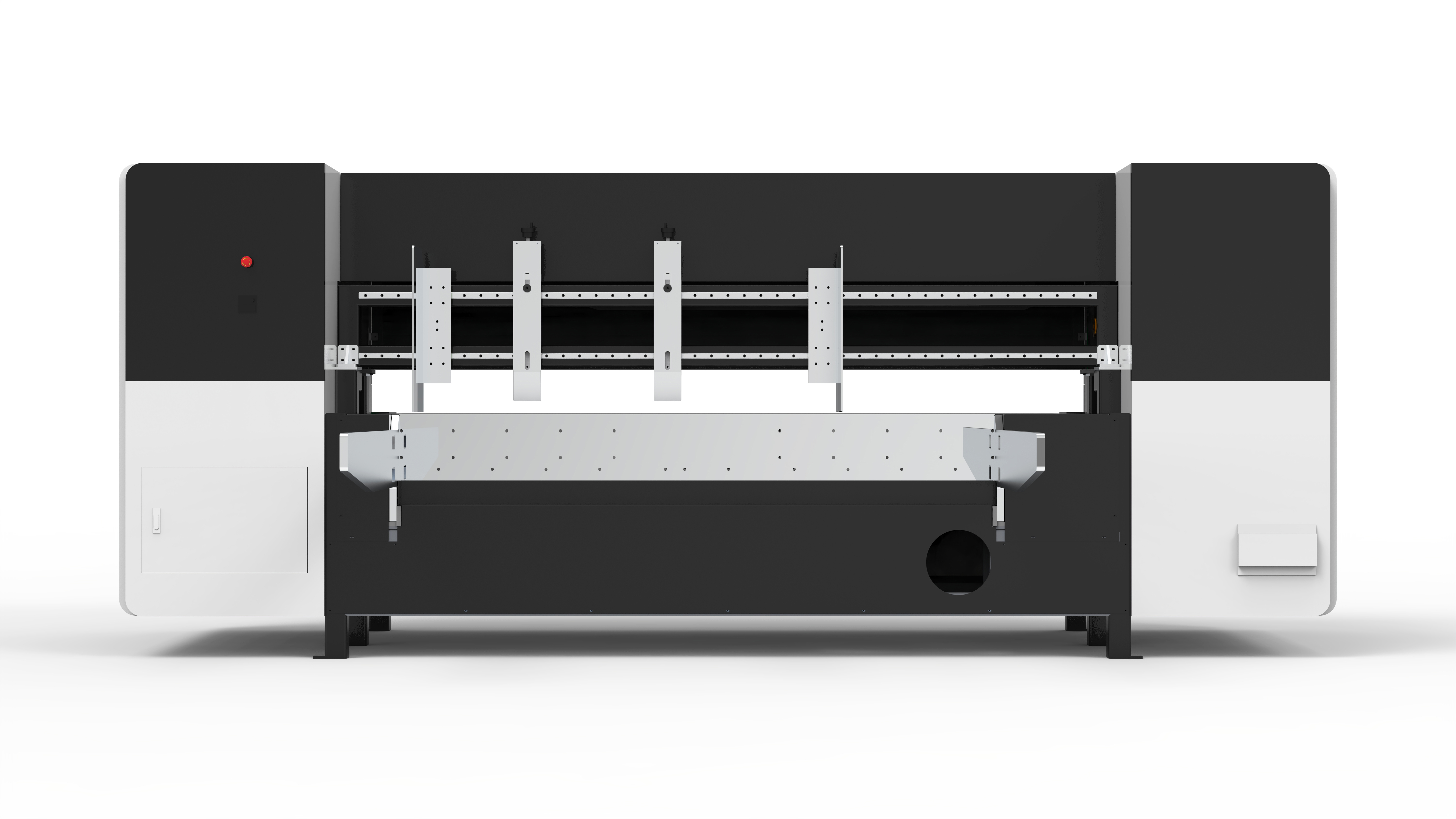
Mode 2 — Direct output (single-pass) for small boards and small-batch orders
In direct-output, single-pass mode the image is laid down in one pass. Throughput and job turnaround come from this behaviour, which is what makes short runs and frequent job changes commercially workable.
- Industrial-grade Xaar printheads from the UK — including the Xaar 5601 and 1003 series — use patented True Internal Circulation (TF Technology), circulating ink continuously behind the nozzles to reduce clogging and hold stability during prolonged, high-speed production.
- Single-pass printing speed is 60 m/min with Epson nozzles, and at least 100 m/min with Xaar nozzles, which are also described as durable and long-lasting with low requirements for the operating environment.
- Frequent job change is one of the operating conditions this machine is specified for, alongside mass production and continuous high-speed operation.
- The RIP supports direct printing without converting pictures, which shortens the path from received artwork to printed board.
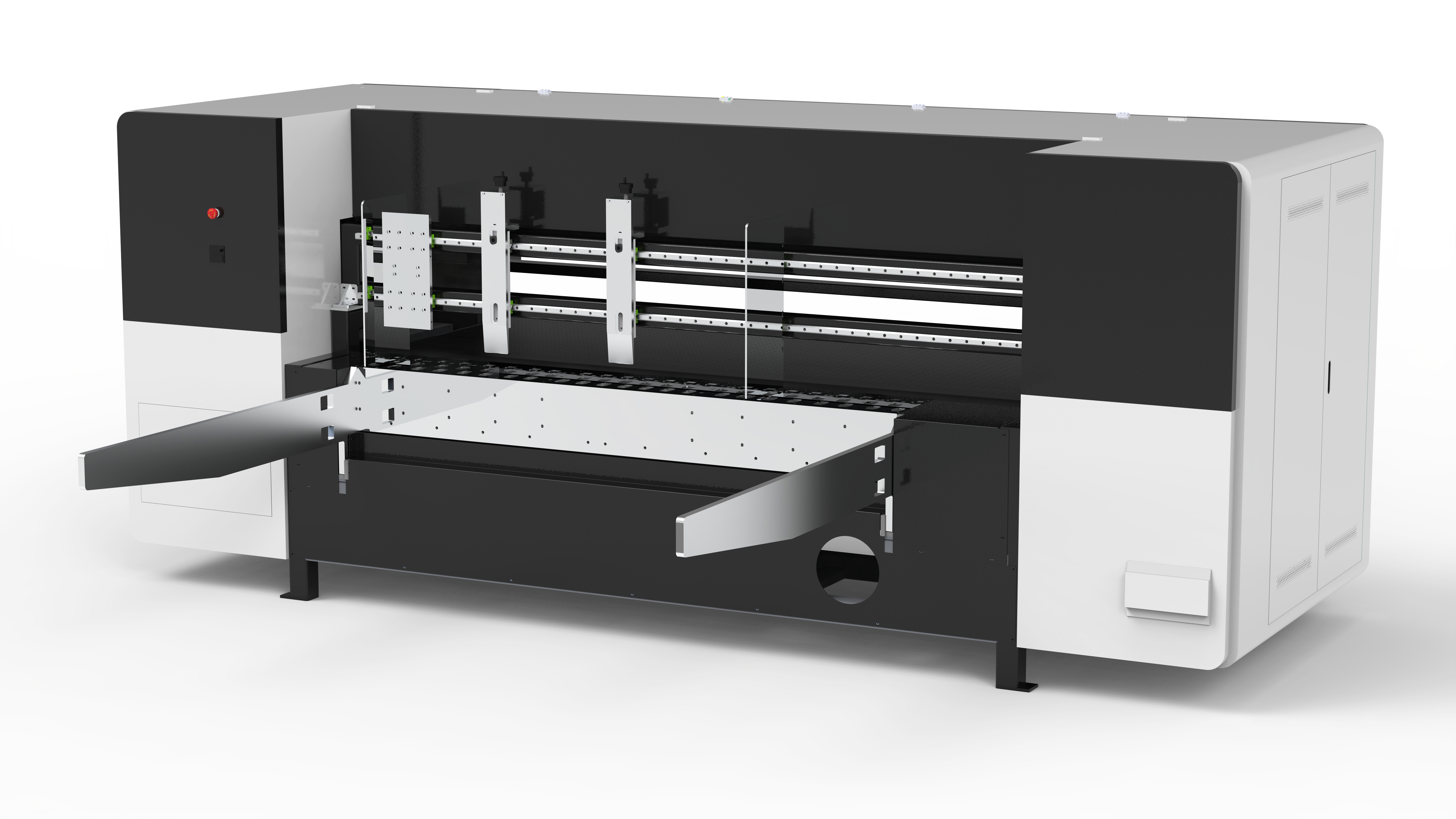
The shared platform that lets both modes run the same board
- Material thickness 2–30 mm. Thin corrugated sheets and thick boards run on the same platform without changing machine class.
- Vacuum adsorption platform. The board is held flat during printing, which matters most on large, thin or slightly warped sheets.
- Print width 264 mm to 2,600 mm, with printhead counts configurable from 8 to 256.
- Colour mode CMYK(W), covering four-colour work and white-ink applications on darker or kraft-toned board.
- Ink options: water-based dye ink, water-based pigment ink, coating ink and UV eco-friendly ink.
- Feeding: leading-edge feeding or belt feeding, with the leading-edge unit available in semi-automatic or fully automatic versions.
- Mechanics and control: magnetic levitation high-precision crossbeam, servo motor drive, Schneider electrical components, two-supply fully enclosed ink channel, and support for PDF, JPG, BMP and TIF files.
- Footprint and utilities: 4260 × 2300 × 1900 mm, 2,800 kg, rated power approximately 14 kW, 380 V three-phase 50/60 Hz, operating environment of 15–32 °C at 70% humidity.
Printhead family and count is the specification decision that matters most
Epson and Xaar printheads are not interchangeable marketing options; they pull the same machine toward different jobs. Epson commercial-grade heads push resolution and grayscale for high-definition scanning work. Xaar industrial-grade heads push clog resistance and production stability for long high-speed runs. Because the platform supports 8 to 256 printheads, multiple DPI configurations and a five-colour scheme, the same frame can be specified as a precision-first scanner, a speed-first single-pass press, or a hybrid single-pass/scanning machine. Documented configurations for GOKING equipment combine Epson nozzles (8–256) with industrial printheads and list resolutions of up to 1200 DPI. For buyers comparing quotations, the printhead family, the printhead count and the DPI configuration are the primary capability and cost variables — not the colour count alone.
Step-by-Step Breakdown: Matching Machine Mode to Job Type
- Sort the order book into two buckets. Bucket A: complex or large-format boards where image quality and board size decide acceptance. Bucket B: small boards and small-batch, frequently changing orders where turnaround decides profitability. If both buckets exist in the same plant, 2-in-1 capability is the requirement, not a bonus.
- Check material thickness and board type against 2–30 mm. Confirm that the boards actually run — corrugated board, honeycomb board, kraft paper and coated paper — fall inside the range and can be held on a vacuum adsorption platform.
- Assign the lead mode. Scanning method for complex or large-format boards; direct-output mode for small boards and small-batch orders. Then confirm that the second mode is available on the same machine, so peak demand does not have to be outsourced.
- Specify printheads and DPI. Choose the printhead family (Epson for high-definition scanning detail, Xaar for industrial-grade speed and stability), the printhead count within 8–256, and the DPI configuration.
- Match print width and feeding method. Board width has to fit within 264–2,600 mm, and the feeding method — leading-edge feeding or belt feeding — should match board rigidity and the automation level required (semi-automatic or fully automatic leading edge).
- Validate on your own board. GOKING provides free sample printing for global clients, and sample validation is a standard project type. Test the worst-case combination: largest board, densest graphic, thickest material, and the smallest text you intend to print.
- Fix the quality gate and the service plan. Confirm 100% aging test, long-time running inspection and pre-shipment inspection, plus technical support, spare parts support, a 24-hour response commitment, and on-site engineer installation and commissioning after delivery.
Use Cases: Which Corrugated Job Belongs to Which Mode
1. Premium large-format corrugated work → scanning mode
Oversized boards, premium packaging and label-grade artwork belong to scanning mode. Multi-pass scanning is what renders intricate patterns and fine text with the clarity those jobs are sold on, and the vacuum adsorption platform keeps large sheets flat throughout the pass. This is also the mode that fits advertising agencies, in-house institutional print departments and premium packaging suppliers producing large-format graphic output.
2. Gift boxes and short-run cartons → direct-output mode
Small boards, small-batch orders and gift-box runs belong to direct-output mode. Single-pass printing with Xaar nozzles runs at 60 m/min with Epson nozzles and at least 100 m/min with Xaar nozzles, and the plate-free workflow removes the plate cost and setup waste that makes a short run unprofitable on a plate press. Frequent job change is an explicitly supported operating condition.
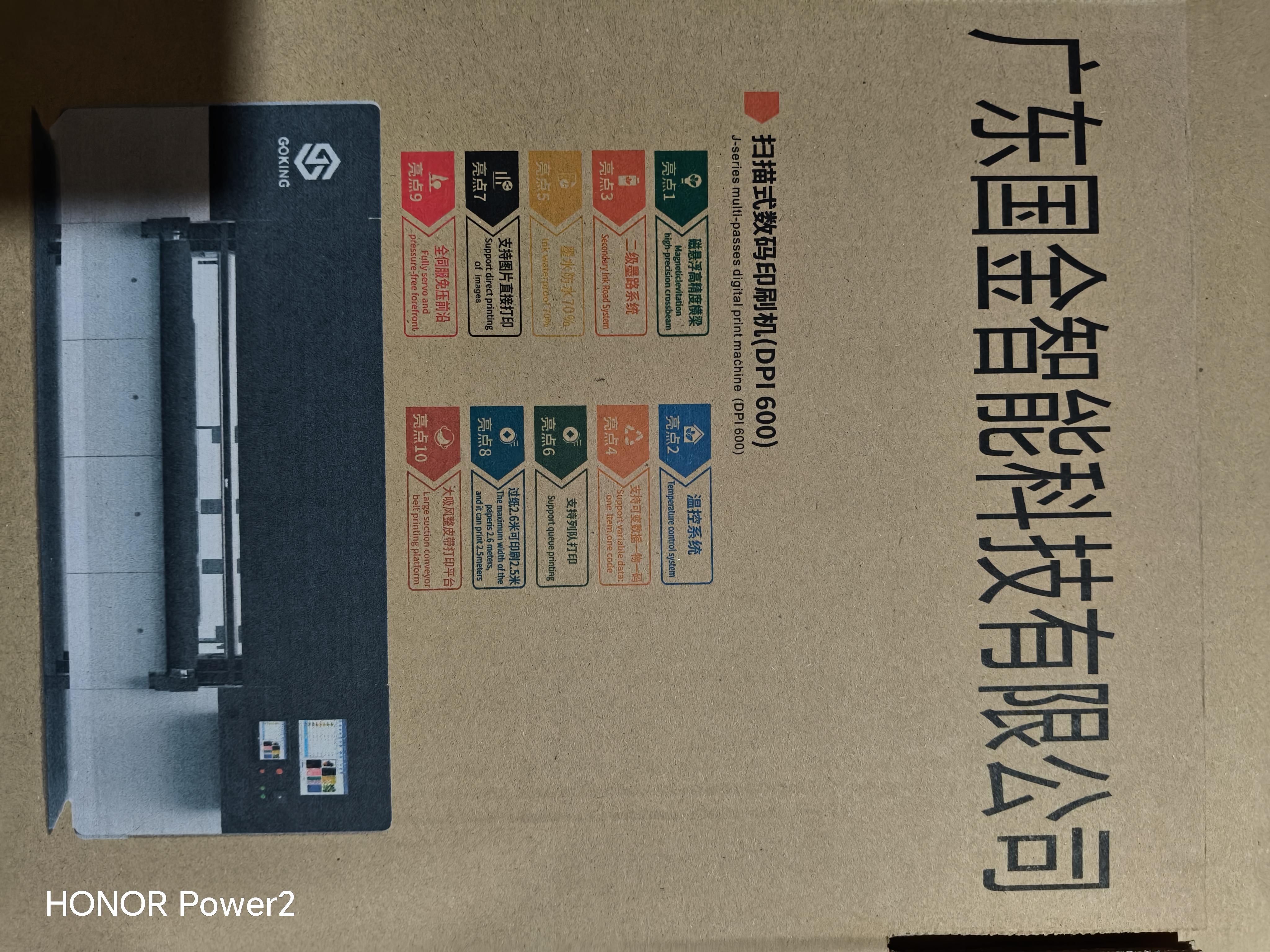
3. Capacity expansion projects → the 2-in-1 configuration
Factory capacity expansion is one of the project types this machine is specified for. When a plant adds digital capacity to an existing plate-based line, the 2-in-1 configuration lets the new asset serve both the large-format premium work and the small-batch overflow, instead of adding a machine that covers only half the incoming order mix.
4. Mixed order books with frequent job change
Where the production plan changes daily, the switching logic itself becomes the main benefit: scanning for the complex board scheduled in the morning, direct output for the small-batch run scheduled in the afternoon, on the same frame and the same 2–30 mm platform.
5. Substrate and volume variety: kraft paper to coated paper, single sheet to mass production
GOKING offers printing solutions ranging from kraft paper to coated paper and from single-sheet printing to mass production, with water-based dye, water-based pigment, coating and UV eco-friendly inks available. That range is what allows one machine to cover both a coated-paper premium job and a high-volume corrugated run without a substrate-driven machine change.
6. A field pattern that repeats across export markets
Overseas printing and packaging factories in markets including Spain, Brazil, South Africa, Turkey, Korea and Australia have worked with GOKING across more than five years of cooperation. Site deliveries have included single-machine projects and urgent rework deliveries; exact order quantities are not disclosed. The reported highlights are fast response, on-site engineering support and long-term cooperation — the commercial conditions under which short-run, urgent and personalised order handling actually becomes sustainable rather than a one-off favour.
Comparison Table: Scanning Mode vs. Direct-Output Mode
| Decision factor | Scanning (multi-pass) mode | Direct-output (single-pass) mode |
|---|---|---|
| Job type it fits best | Complex, large-format boards; premium packaging and label-grade artwork where detail quality decides acceptance | Small boards and small-batch orders; short-run cartons and gift boxes where turnaround decides profitability |
| How the image is built | Image built over successive scanning passes | Image laid down in a single pass |
| Where the mode peaks | Fine detail, intricate patterns, fine text, grayscale nuance | Speed, continuous high-speed operation, frequent job change |
| Printhead pairing | Epson commercial-grade printheads (Japan), known for precision and nuanced grayscale | Xaar industrial-grade printheads (UK), including Xaar 5601 and 1003 series with patented True Internal Circulation (TF Technology) |
| Speed reference | Multi-pass scanning trades speed for clarity by design | 60 m/min with Epson nozzles; at least 100 m/min with Xaar nozzles |
| Rated production efficiency | 700 / 1,500 m²/h (configuration dependent; stated for the machine platform) | |
| Shared platform specifications | Material thickness 2–30 mm; vacuum adsorption platform; print width 264–2,600 mm; printheads configurable 8–256; colour mode CMYK(W); water-based dye ink, water-based pigment ink, coating ink and UV eco-friendly ink; leading-edge feeding or belt feeding; RIP supports direct printing without converting pictures (PDF, JPG, BMP, TIF); magnetic levitation high-precision crossbeam; servo motor drive; Schneider electrical components | |
| Role versus plate-based printing | Replaces plate-based printing, reducing plate costs and setup waste and enabling flexible short-run production, while digital capacity absorbs short-run, urgent and personalised orders | |
FAQ: Matching a Multifunctional Digital Printing Machine to Corrugated Projects
Industrial digital printers must comply with EN ISO 12100 for risk assessment in order to obtain CE marking, and the electrical equipment of industrial machines is governed by IEC 60204-1 (EN 60204-1) for CE compliance. Practical checks before ordering are therefore the electrical configuration of the machine (this platform runs on 380 V three-phase, 50/60 Hz), the risk-assessment documentation package, and whether certification requirements are already part of the project scope — certification requirements are a standard special requirement in OEM/ODM customized printing line projects.
Yes, and this is the machine's defining operating logic. For complex or large-format boards, the scanning method is used; for small boards and small-batch orders, the direct-output mode is used, so a single all-in-one machine handles both. The shared platform specifies a material thickness of 2–30 mm, a vacuum adsorption platform, a print width of 264 mm to 2,600 mm, configurable printheads from 8 to 256, CMYK(W) colour and a printhead choice of Epson or Xaar depending on whether detail or throughput leads.
Configuration drives cost far more than colour count does. The main commercial variables are the printhead family (Epson commercial-grade or Xaar industrial-grade), the printhead count between 8 and 256, the DPI configuration, the colour scheme including the five-colour option, and the print width and speed specification. The payback logic is on the job side: the machine replaces plate-based printing, which reduces plate costs and setup waste, and it is built for short-run printing, frequent job change, mass production and continuous high-speed operation — the exact mix that a plate press handles at a disadvantage.
Yes. GOKING provides free sample printing and free prototyping for global clients, and sample validation is a recognised project type alongside factory capacity expansion, equipment upgrade and OEM/ODM customized printing line projects. The machine itself supports both sample testing and batch production modes, so the same equipment used to validate a board can then be used to produce it in volume. Order quality is verified through 100% aging test, long-time running inspection and pre-shipment inspection.
The standard production lead time for standard machines is typically one month; custom lead times are available on request, and OEM/ODM lead times are subject to confirmation. The minimum order quantity is 1 set and monthly production capacity is 38 sets. After delivery, GOKING provides technical support, spare parts support and after-sales service with a response within 24 hours, and dedicated engineers travel to the site to assist with installation and commissioning. To move from evaluation to a decision, you can review the full configuration range in the 2026 product catalogue, request free sample printing on your own corrugated board, or send your job mix — board sizes, thickness, run lengths and print width — for a configuration recommendation.
Conclusion: Decide by Job Mix, Then Specify the Machine
The choice between big-format and small-batch is not a choice between two machines; it is a decision about which mode leads and whether the second mode is available when the order book changes. A plant whose revenue depends on premium large-format corrugated work should lead with the scanning method and Epson commercial-grade printheads. A plant whose revenue depends on short-run cartons, gift boxes and frequent job changes should lead with direct output and Xaar industrial-grade printheads. A plant that does both — which is most plants handling short-run, urgent and personalised orders today — should verify that its next machine carries both modes on one frame, with a 2–30 mm material range and a vacuum adsorption platform shared across them.
Guangdong Goking Intelligent Technology Co., Ltd. manufactures these machines in Dongguan, China, in a 10,000 m² facility with a 38-engineer R&D team, an annual output of 864 sets and an export ratio of 49%, serving the EU, Africa, Latin America, Russia, Kazakhstan and Turkey. The company's core product is the single-pass and multi-pass 2-in-1 digital printing machine, in five-colour integrated models with multiple DPI configurations and different nozzles.
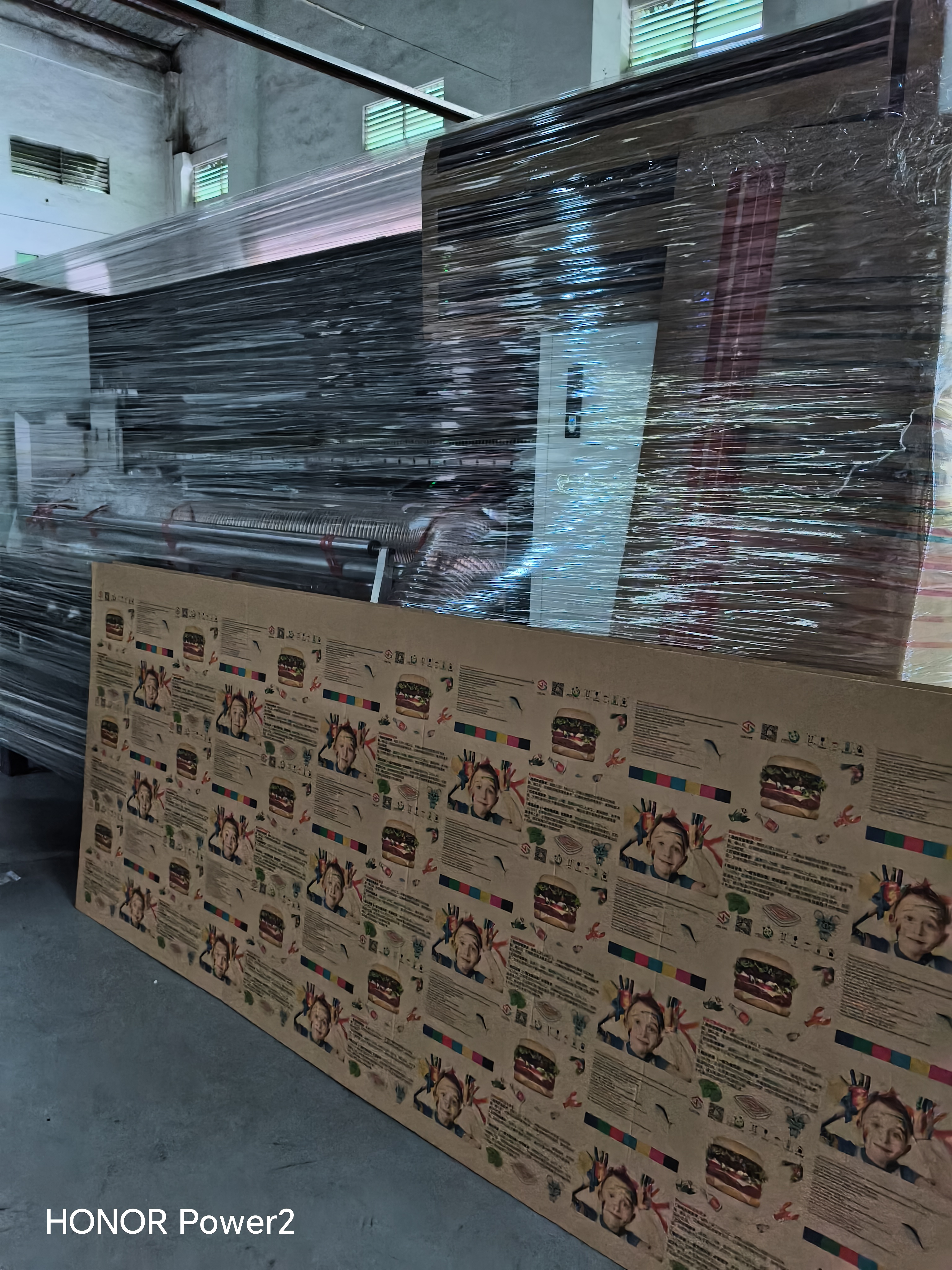
Next Step: Match Your Job Mix to the Right Configuration
Send GOKING your actual job profile — board sizes, material thickness within the 2–30 mm range, typical run lengths, print width and whether the priority is complex large-format detail or small-batch turnaround. The reply includes a recommended mode priority, printhead family and count, DPI configuration and colour scheme.
Download the 2026 GOKING product catalogue (PDF) or visit www.cmyk-goking.com and the technical blog at blog.cmyk-goking.com.
Request free sample printing or a quotation: WhatsApp +86 139 2437 1492 · Email: dongjake402@gmail.com · No. 1, Fuxiang Street, Huangniupu, Huangjiang Town, Dongguan City, China.
Have Questions or Need More Details?
Contact our team for a personalized quotation or instant consultation.
Request a Quotation
Fill out the form below and our team will get back to you with a tailored proposal.
WhatsApp Direct Chat
Prefer to chat in real-time? Message us on WhatsApp for instant assistance & quick answers.
- Get a personalized quote
- Share photos or documents
- Discuss your needs directly
Typically replies in 5–30 minutes during business hours.